Getting Started
1. Download & Install
Get DermWizard from the App Store or Google Play. (Links on homepage)
2. First Launch
No account needed – you can use all features immediately. The app works fully offline.
3. Choose your mode
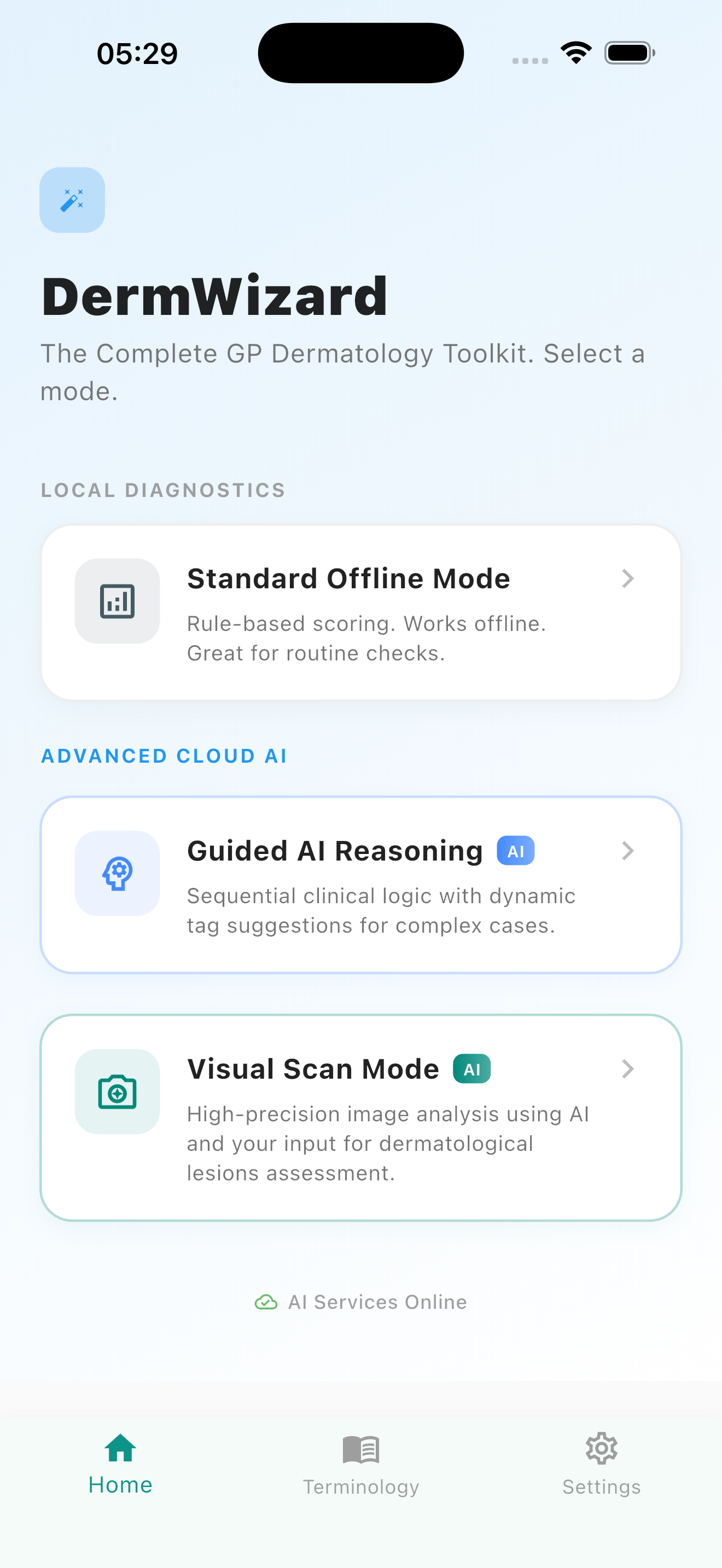
From the home screen, pick Symptom tagger (offline), AI differential (online) or Image analysis (online).
Key interface elements
Offline Symptom Tagger
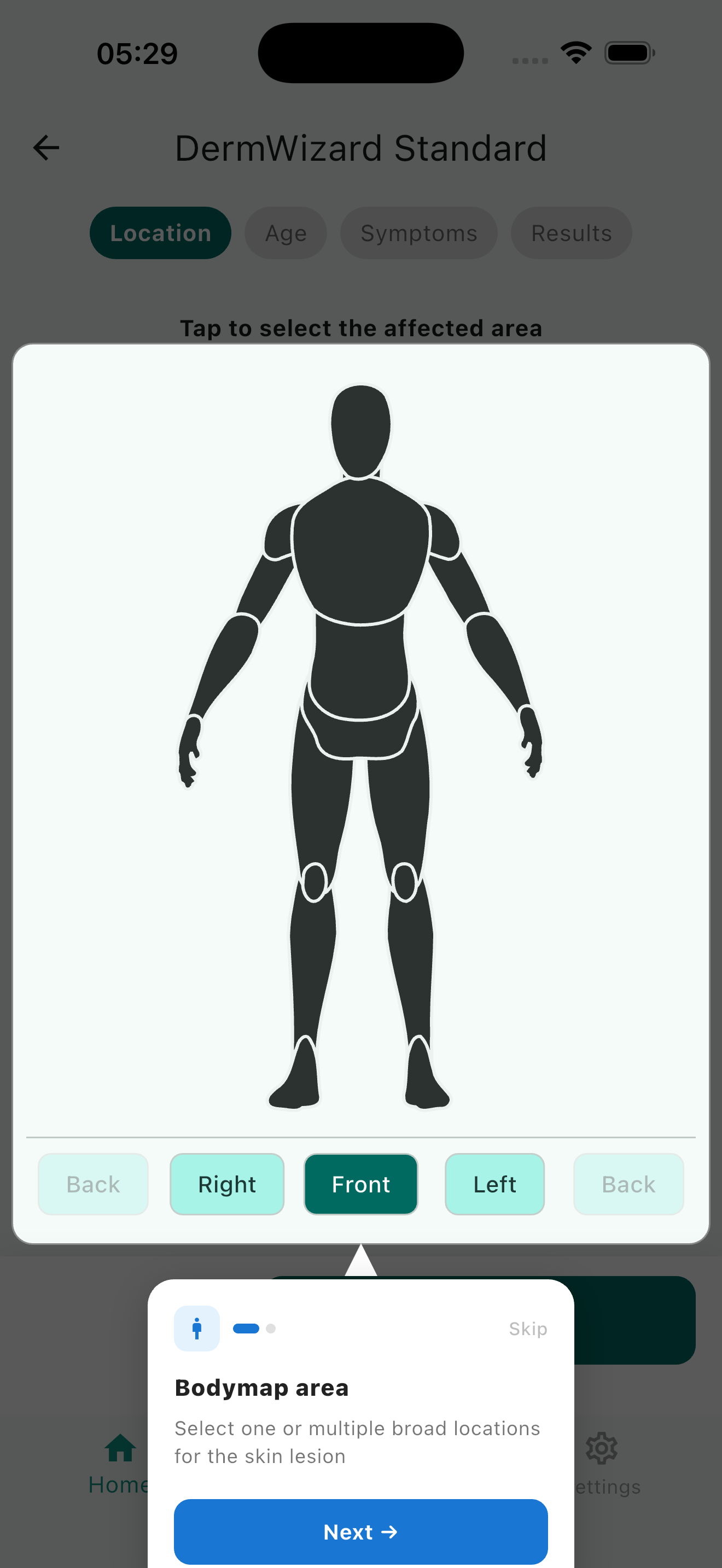
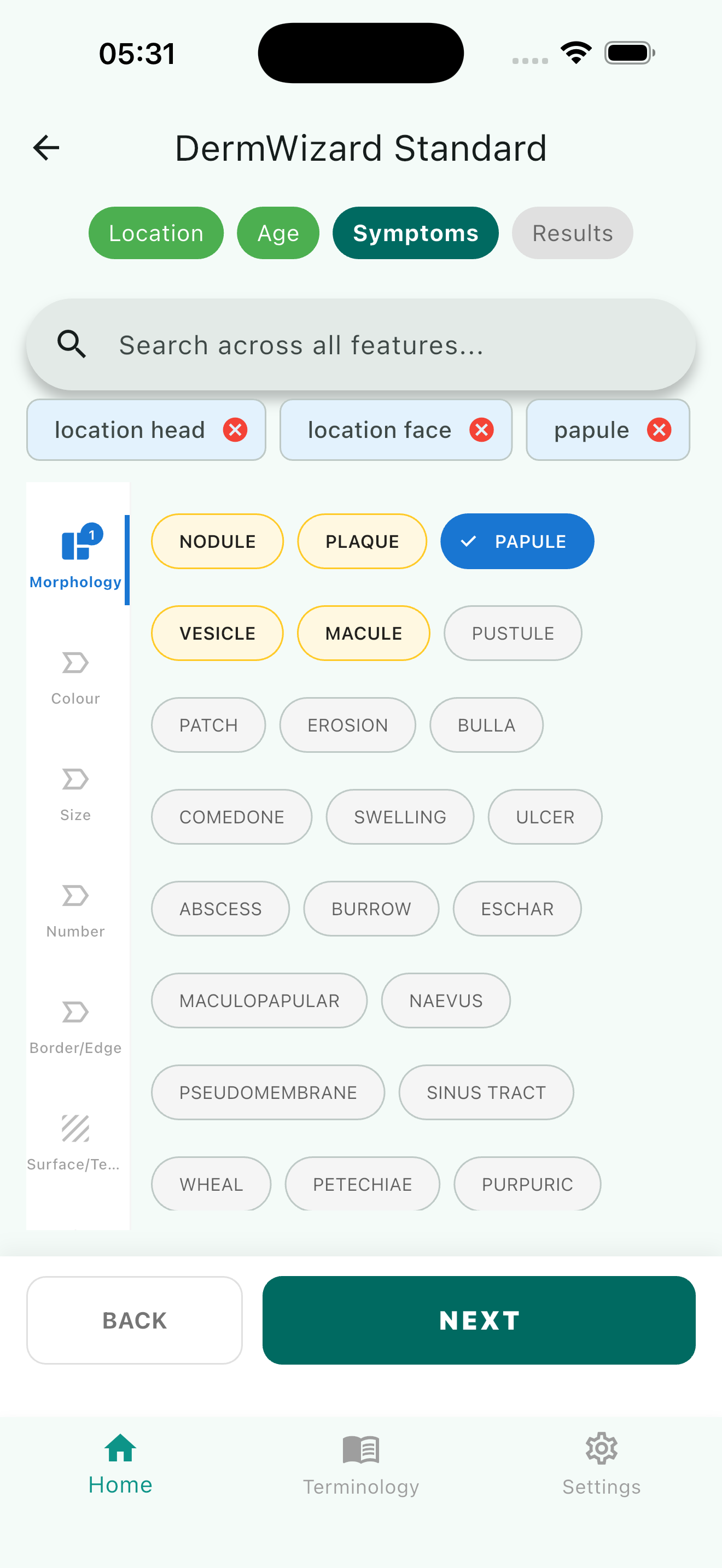
Step‑by‑step morphology
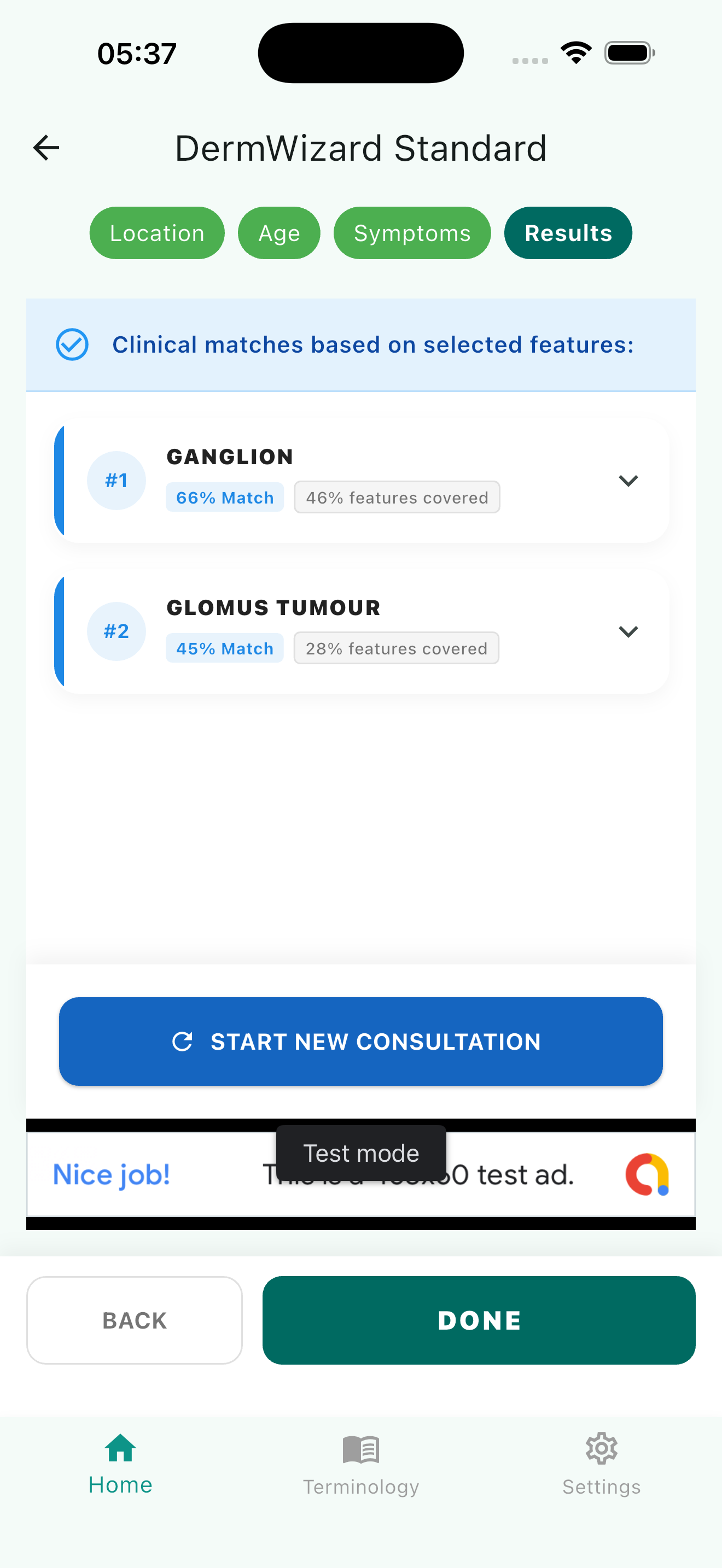
Select the lesion’s appearance (plaque, nodule, vesicle…), distribution, and history. The app instantly filters possible conditions based on PCDS rules – all offline.
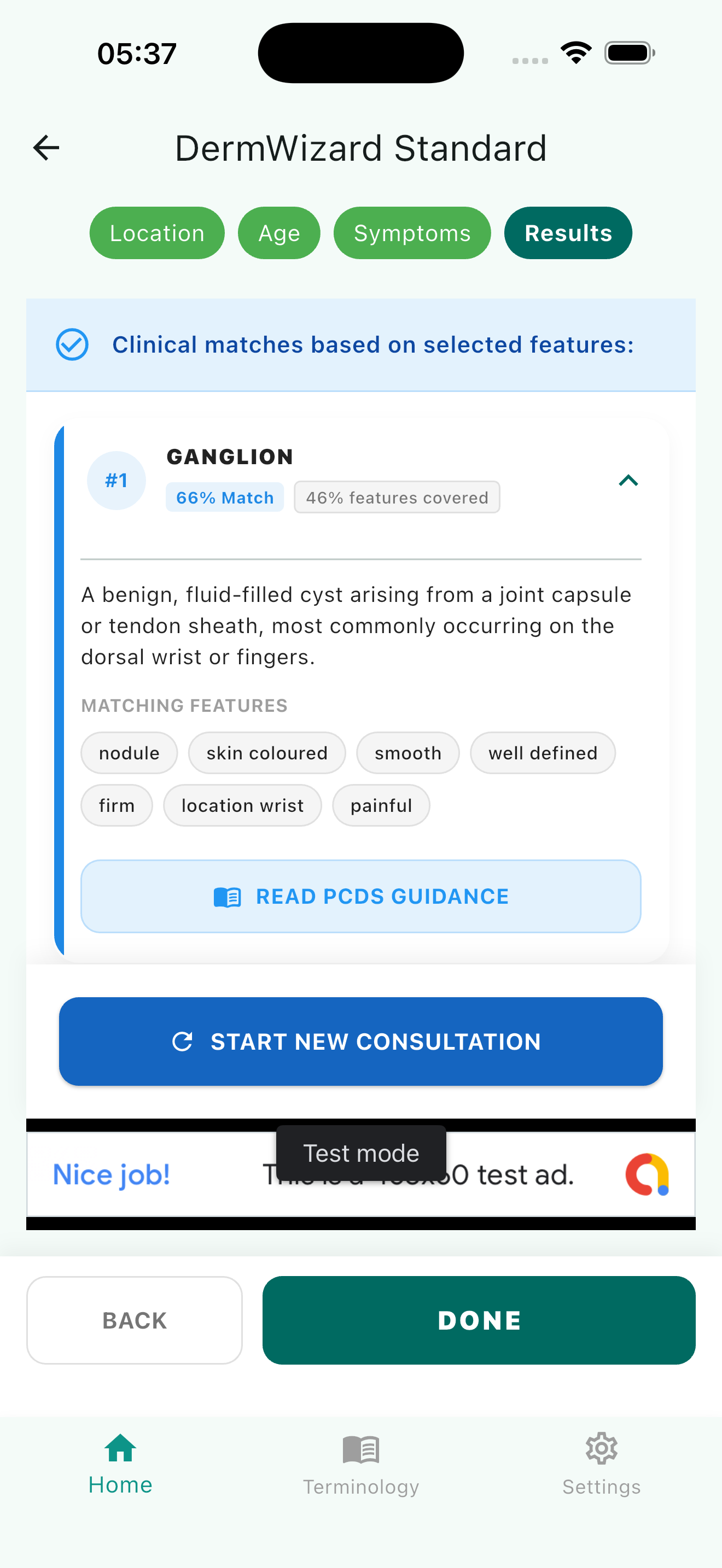
Tap any condition to read a short summary, management advice, and see example images (stored locally).
Key actions
Online AI Differential Ranking
Intelligent suggestions
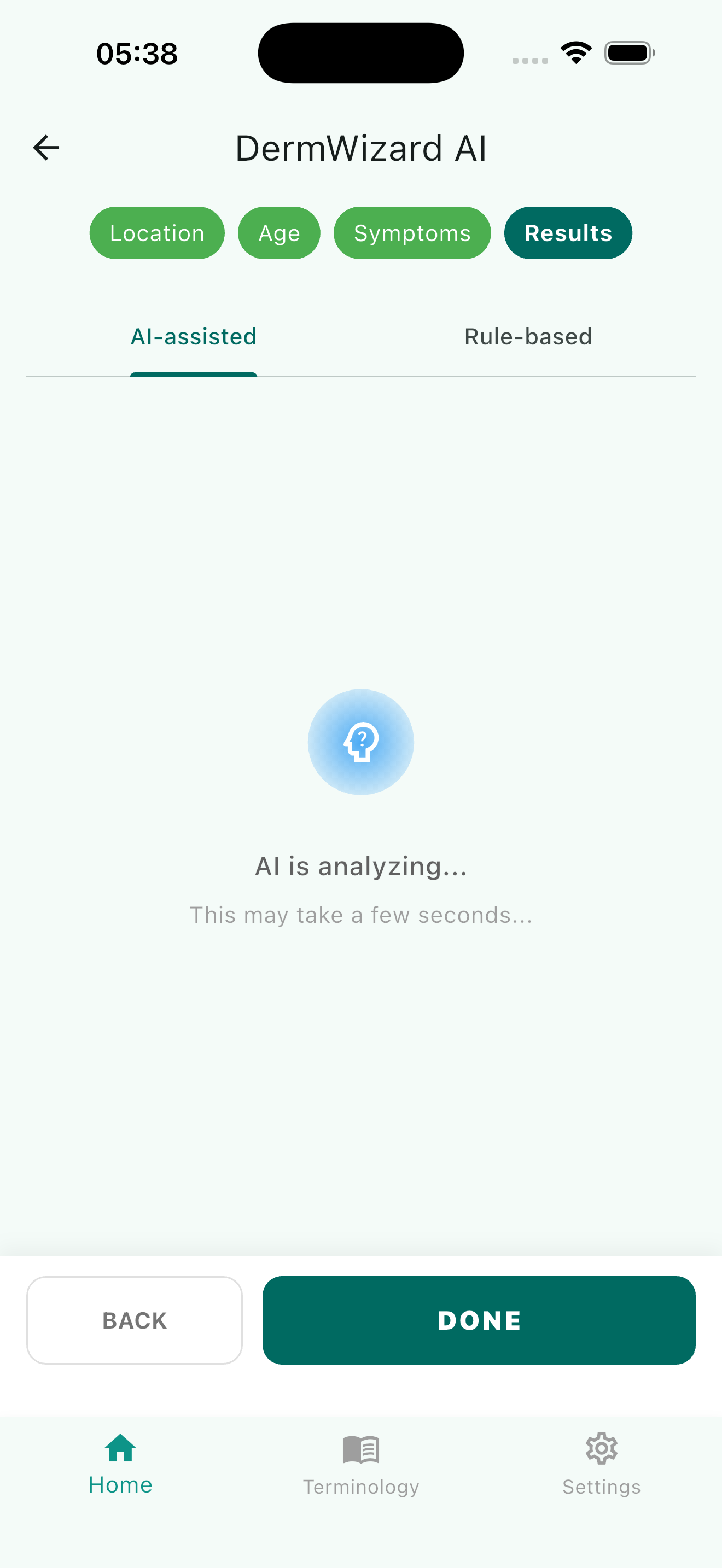
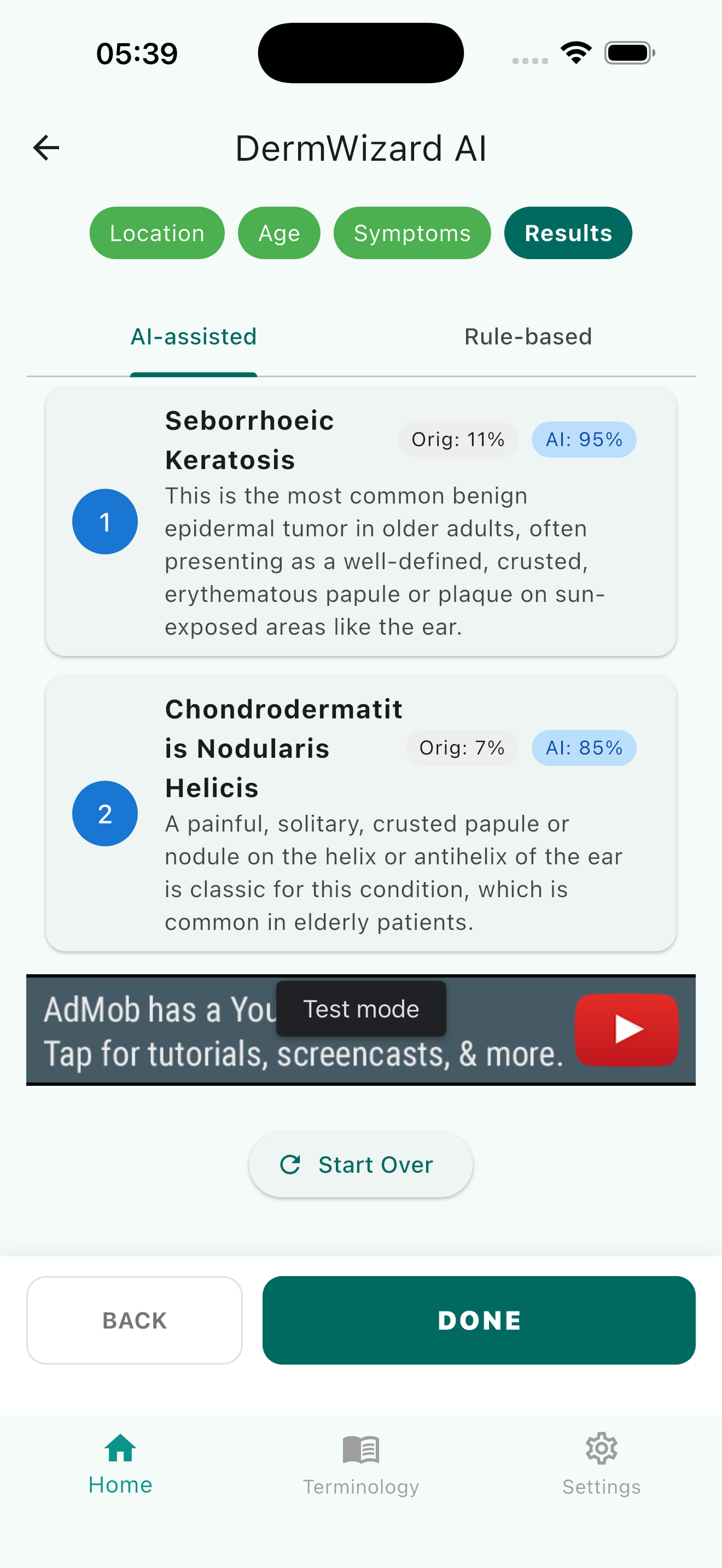
When connected, you can use the same symptom tags plus optional extra info (age, duration). Our lightweight AI model ranks differentials from most to least likely.
Each suggestion includes a confidence level and links to relevant PCDS content. Use it to broaden your differential or confirm your clinical suspicion.
Key interface
AI Image Analysis
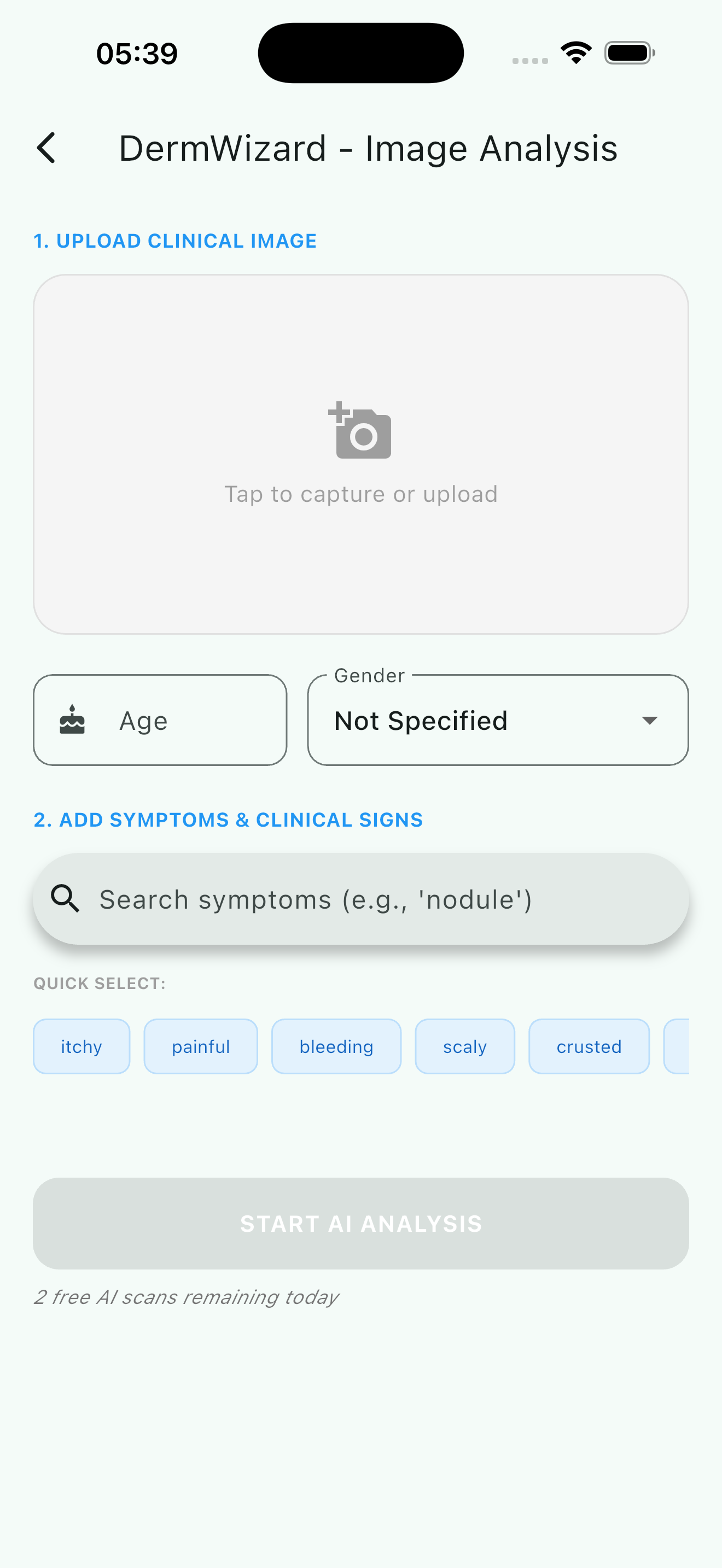
Snap or upload
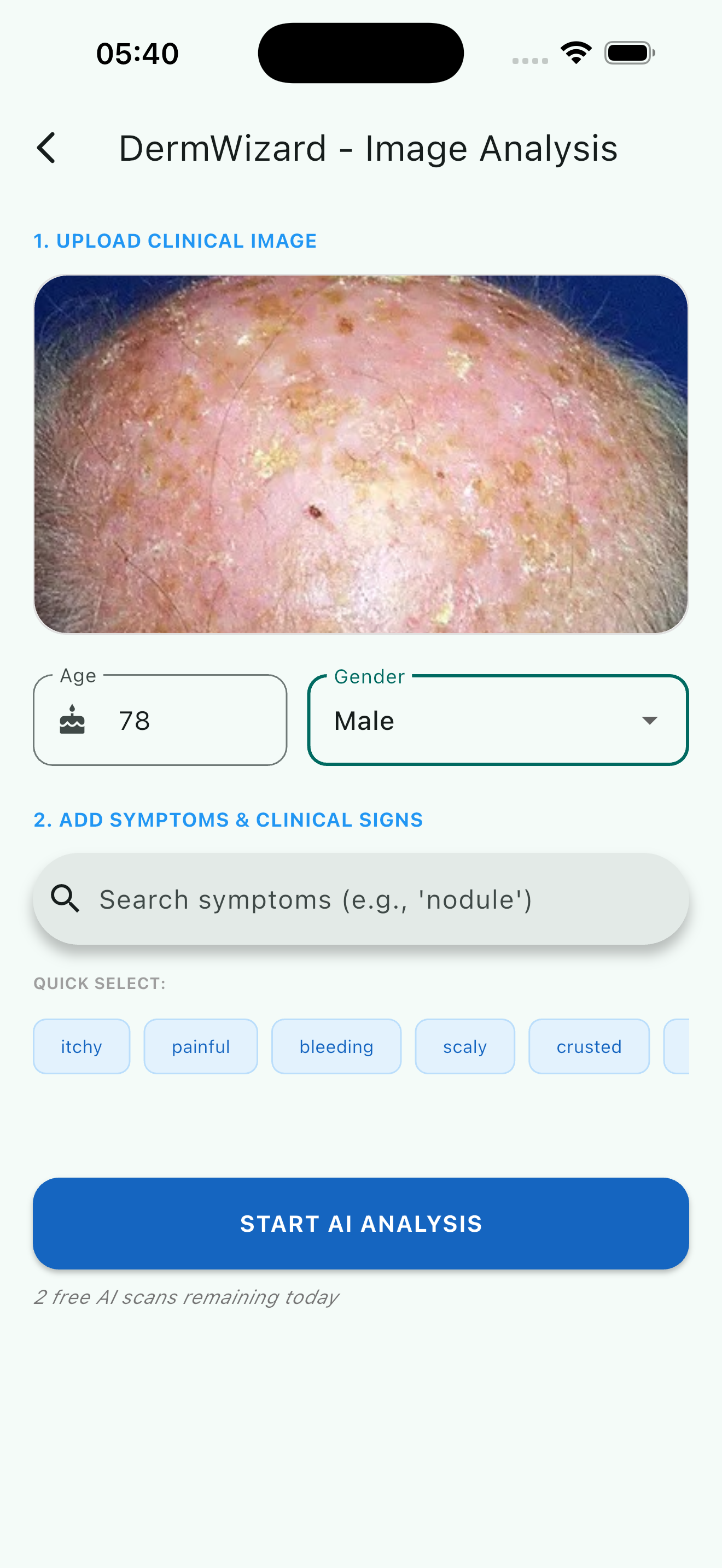
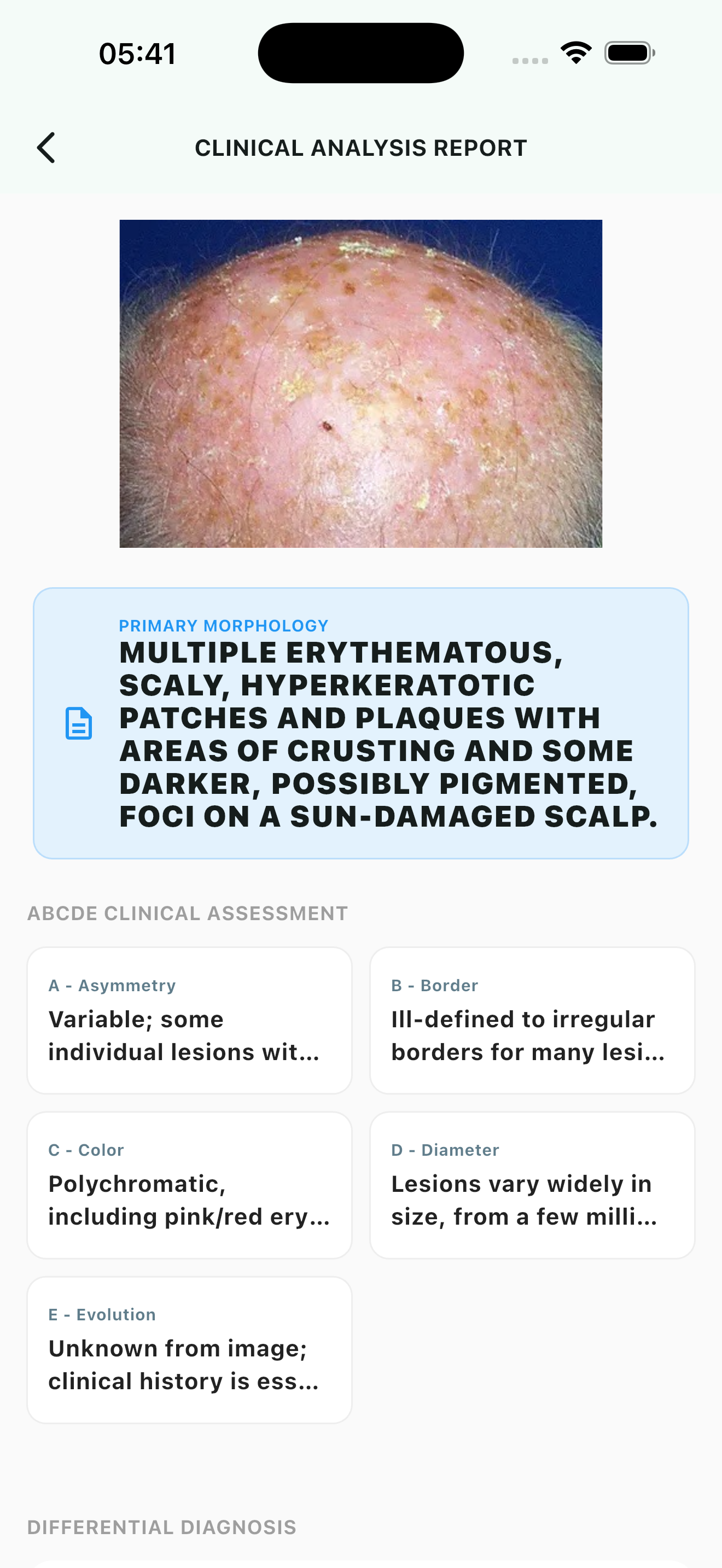
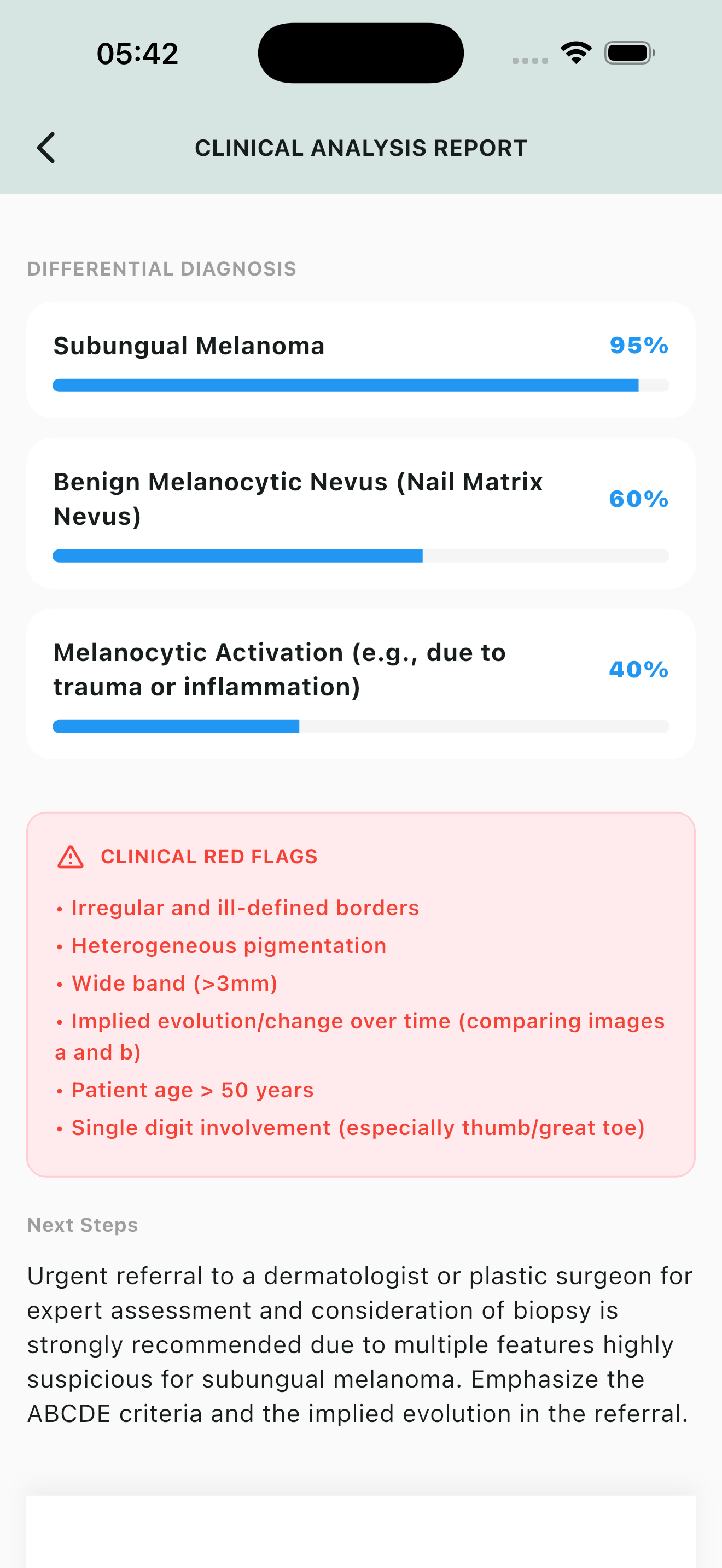
Take a photo of a skin lesion or choose one from your library. The AI analyses it and returns:
- Possible condition matches with likelihood
- Links to similar images in the knowledge base
- Management pointers
Images are processed securely and never stored without explicit consent (see privacy).
Image analysis workflow
Tips & Privacy
🔒 Your data stays yours
- Offline mode: no data leaves your device.
- AI differential: only anonymous symptom tags are sent; no patient identifiers.
- Image analysis: images are encrypted during transmission and deleted immediately after analysis unless you save them to the secure onboard library (you control this).
⚙️ Reset consent
You can withdraw consent for AI processing or ad personalisation at any time via Settings → Privacy.
📚 Based on PCDS
All clinical content is derived from the Primary Care Dermatology Society (PCDS) and intended for healthcare professionals. Always use clinical judgment.